
Buying Guides
How to Choose a Cable Tracker for Electricians
Choosing a cable tracker? Compare tone tracing, wiremap, length and PoE testing, live-circuit safety and tracing depth — plus a B2B sample checklist for buyers.
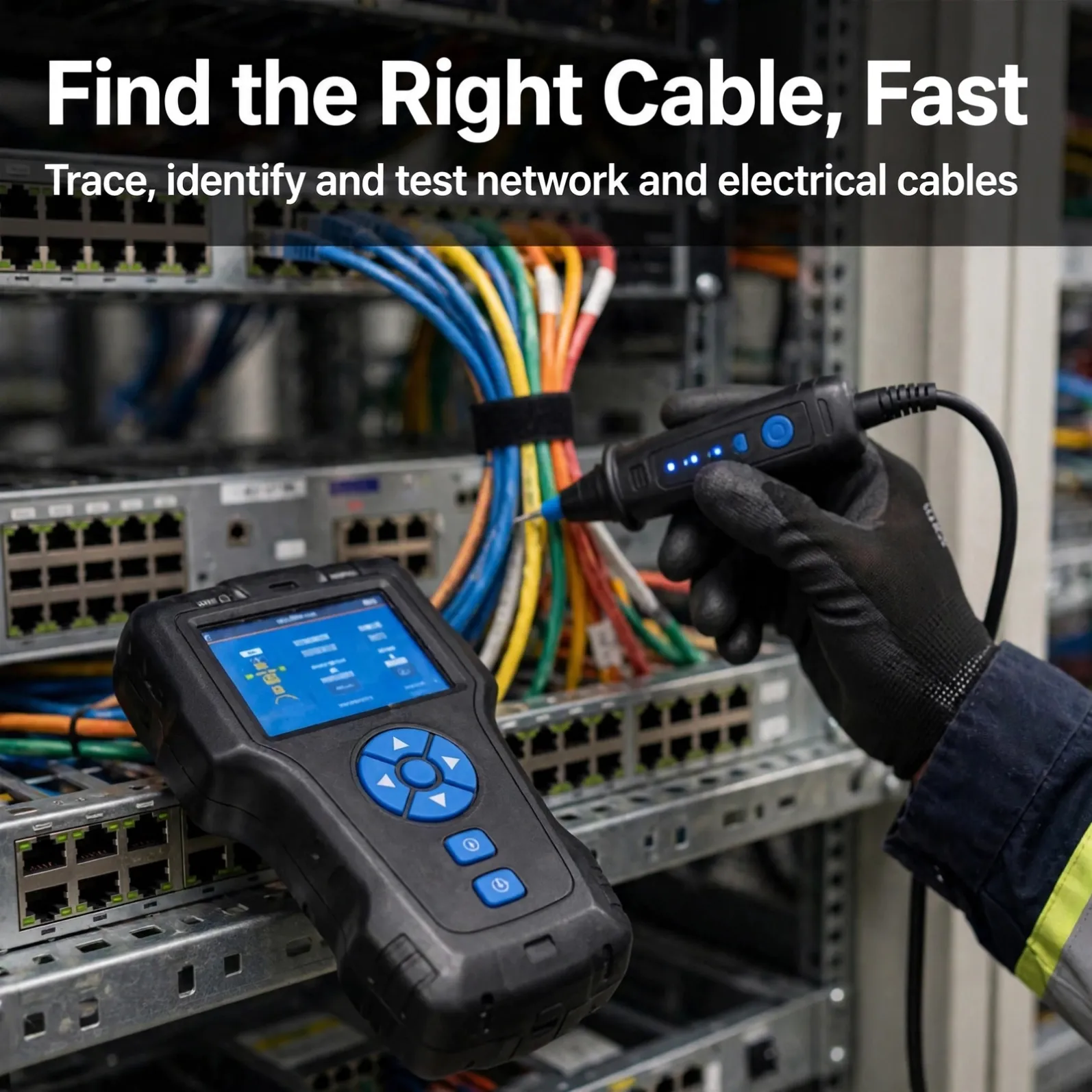
A cable tracker earns its place in a toolkit the moment a technician faces a bundle of identical cables and no labels: dozens of network drops in a cabinet, a dead circuit somewhere inside a wall, or a fuse that protects a circuit nobody can identify. The right tracker comes down to four things: the kind of cable you trace, whether the circuit is live or dead, how far and how deep the signal must reach, and whether you also need the cable tested — not just found.
What a Cable Tracker Actually Does
A cable tracker is a two-part tool. The transmitter clips onto one end of a cable and injects a signal; the receiver follows that signal along the run, sounding louder or lighting up as it gets closer to the right cable. The pair identifies one cable among many without stripping insulation or disconnecting everything in the cabinet.
Most trackers in this class also test the cable, not just find it. A network tracker typically runs a wiremap test — checking pin-to-pin continuity and flagging open circuits, shorts and crossed pairs — and many models add length measurement, PoE detection and a port-flash function that blinks the switch port a cable is plugged into. A mains tracker follows a wire through a wall, under a floor or underground, and finds the fuse or breaker protecting it. Buying the wrong type is the most common mistake: a network tracker cannot safely trace a live mains circuit, and a mains tracker cannot run a wiremap on a data cable.
Network Tracker or Mains Tracker: Decide First
Job | Right type | What it must do |
|---|---|---|
Identify network drops in a cabinet | Network tracker | Tone trace RJ45/RJ11, wiremap, length |
Find a faulty patch cable or outlet | Network tracker with testing | Wiremap (open/short/cross), PoE check, port flash |
Find a dead circuit inside a wall | Mains tracker | Trace through plaster, find breaks and shorts |
Trace a buried or under-floor cable | Mains tracker | Deep tracing, adjustable sensitivity |
Identify the fuse for a circuit | Mains tracker | Signal the breaker or fuse on that circuit |
Trace a live mains cable | Mains tracker, CAT-rated | Rated for the circuit voltage, voltage detector |
If your customers work on both data and power, they need two tools — or a supplier range that covers both. One tracker does not cover both jobs safely.
7 Specifications That Decide Whether the Tracker Works
1. Cable types and connectors
Check which cables the tracker is built for. Network models in this class typically cover RJ45 and RJ11, and some add BNC for coaxial cable; the NF-801B type, for example, also works on single conductors, twisted pairs and telephone cable. A tracker that only accepts RJ45 cannot help a technician tracing a telephone pair or a coax run. Ask which connectors are included and whether the transmitter clips onto bare conductors as well as plugs.
2. Tracing distance and depth
For mains and underground work, distance and depth are the headline numbers. A mains tracker of the NF-810 type quotes a maximum tracing length of around 500 m and a maximum depth of about 50 cm at a tone frequency around 200 kHz; the NF-8508 type is specified to find breaks and shorts in cable in the wall or in the earth, and in conduit under the floor. Confirm the figures on the datasheet — a tracker that fades at 20 cm depth is useless in a concrete floor.
3. Live-circuit safety rating
This is the specification that protects the technician. A mains tracker should carry a clear safety rating for the circuits it will touch — the NF-8508 type, for example, is listed with CAT III 300 V and CE/ETL/RoHS certification in the catalogue. A network tracker with a voltage detector in the receiver (the NF-8601S type detects 90–1000 V) warns before the probe touches a live conductor. Never let a network-only tracker near a live mains circuit, and confirm the rating in writing.
4. Wiremap and fault testing
For network work, tracing is only half the job. A useful network tracker shows a pin-to-pin cable map for individual cables, not just a pass/fail light, and flags open, shorted and crossed pairs. The NF-801B type displays the pin-to-pin map and carries a low-voltage alarm; the NF-8601S type adds a crosstalk test, which matters because crosstalk is a common cause of slow network speed that a simple continuity test misses.
5. Length measurement
Measuring cable length from one end saves a technician from pulling a cable out to find a break. Higher-end network trackers measure network, coaxial and telephone cable, with ranges up to around 200 m on the NF-8601S type, and can roughly locate a break or short along the run. Treat it as an estimate — it locates a fault to a section of cable, not to the centimetre.
6. PoE, PING and port identification
On modern networks, a tracker that also tests Power over Ethernet is worth having. The NF-8601S type identifies which pins are providing power, detects how much voltage is present, and identifies the PSE type (af/at standard); it also runs a PING function to test network performance and a hub-blink function that locates a network port by flashing the port light on the hub or switch.
7. Receiver sensitivity, battery and field use
Sensitivity adjustment on the receiver matters wherever cables run close together: turning it down separates one cable from its neighbours in a crowded cabinet, turning it up follows a signal through a wall. Field features matter just as much — an earphone jack for noisy plant rooms, an LED worklight for dark corners (both on the NF-801B type), a backlight, auto power-off, and a battery the customer can buy locally. Network trackers in this class typically run on a 9 V battery or a rechargeable 3.7 V lithium battery, so confirm the battery type and whether spares are included.
How to Evaluate a Sample Before Ordering
Test the sample against real conditions, not a tidy bench:
- Crowded-cabinet test. Put the transmitter on one cable in a bundle of twenty and find it with the probe alone. If the probe sings on three cables, the sensitivity control is not doing its job.
- Wiremap test. Run the wiremap on a good cable, a cable with a crossed pair, and a cable with a broken conductor. The tracker should show all three clearly, with the fault type visible — not just a red light.
- Wall and depth test. For a mains tracker, trace a known cable through a plaster wall and, if possible, a buried conduit. Check the signal holds at the depth your customers work at.
- Fuse-finding test. Clip the transmitter onto a circuit and find its breaker in a loaded consumer unit. If it cannot pick the right breaker out, it will not do so on a customer's site either.
- Length check. Measure a cable of known length and compare. A tracker that is far out on a known length will mislead a technician hunting a break.
Also confirm what is in the box: transmitter, receiver, remote units (the NF-8601S type ships with 8 remotes for testing 8 cables at once), leads, earphone and batteries. A missing remote unit is the most common reason a first network-tracker order comes back as a complaint.
Questions to Ask Your Supplier Before You Buy
- Which cable types and connectors does it cover — RJ45, RJ11, BNC, bare conductors — and is it a network tracker, a mains tracker, or both?
- What are the maximum tracing distance and depth, and at which signal frequency?
- What is the safety rating, and is it certified for live circuits? Does the receiver include a voltage detector?
- Does the wiremap show a pin-to-pin map, and which faults does it flag — open, short, cross, crosstalk?
- Does it measure cable length, and over what range? Does it test PoE and run PING and hub-blink functions?
- Is the receiver sensitivity adjustable, and does it have an earphone jack and a worklight?
- What battery type does it use, and how many remote units are included?
- Is a test certificate available for repeat orders?
- For OEM or ODM orders: can the logo, packaging, manual and barcode be customised, and what is the minimum order for a custom version?
A supplier that answers these directly, with a datasheet behind each answer, is usually one whose trackers behave the same in the field. Vague answers now tend to become vague support later.
The Buying Decision in One Paragraph
Buy the cable type first and the tracker second. If your customers install and maintain networks, a network tracker with a pin-to-pin wiremap, length measurement, PoE and PING testing and a port-flash function is the right tool; if they trace power circuits, a CAT-rated mains tracker with adjustable sensitivity, depth tracing and fuse-finding is mandatory. Either way, insist on a sample that passes the crowded-cabinet test and, for mains work, the wall-depth test.
Shenzhen Zhanyueda Technology Co., Ltd. (www.zydhardware.com), founded in 2024, supplies handheld test and measurement instruments for electrical, HVAC, automotive and industrial maintenance, with OEM/ODM service for distributors and private-label buyers.
Related reading on this site: how to choose a handheld oscilloscope; how to choose an industrial multimeter; clamp meter vs multimeter; how to choose diagnostic tools for PLC and control panel troubleshooting; how to choose an insulation tester for industrial use.
Want a sample or a quotation? Contact us through www.zydhardware.com with the cables you need to trace, whether the circuits are live or dead, and whether you need network testing, mains tracing, or both — and we will recommend a model and a sample for your evaluation.