
Buying Guides
Why Your Tachometer Reads the Wrong RPM
Tachometer reading double, jumping, or showing 3,600 RPM with nothing rotating? Six causes — tape, distance, light — and a 5-minute check to find it.
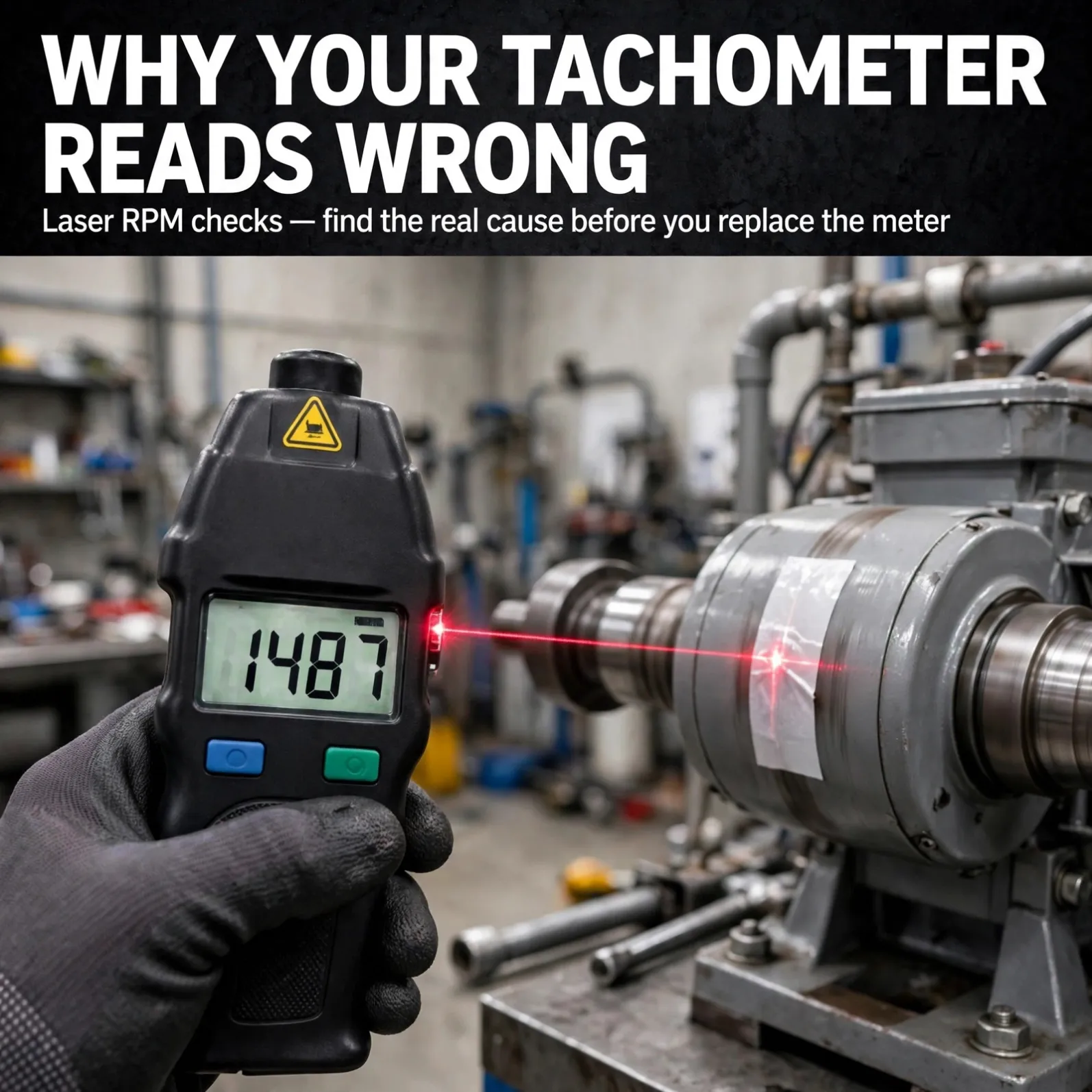
A laser tachometer almost never invents a number. It counts light pulses — one flash from the reflective mark each time the shaft turns — and turns that count into RPM. So when the reading is wrong, the pulses are usually wrong: extra flashes, missed flashes, or light that never came from the shaft. Work through the six causes below before you return the meter.
How a Laser Tachometer Counts Speed
A non-contact tachometer aims a laser beam at a reflective mark on the shaft. Each pass of the mark through the beam is one pulse; one mark means one pulse per revolution, so the meter only counts pulses per minute to display RPM.
A handheld tachometer in this class typically quotes ±(0.05% of reading + 1 digit) — roughly ±2 RPM on a 1,500 RPM motor. A reading off by hundreds is not an accuracy problem; it is a pulse problem: too many pulses, too few, or pulses from the wrong source.
1. More Than One Reflective Mark: The Reading Doubles
The most common cause of a reading exactly double or triple the real speed — and the easiest to miss. The meter cannot tell one reflective mark from another: a shiny keyway, bolt head, coupling edge, or second piece of tape each adds a pulse per revolution. A shaft at 1,500 RPM with two marks reads about 3,000 RPM; with three, about 4,500 RPM. The number looks clean and stable, which is why it fools people.
Check the shaft, not the meter. There should be exactly one small mark — a piece of tape about 10–12 mm long, flat and firmly stuck — and everything else in the beam path dull. On polished steel, paint around the mark flat black or cover shiny spots with black tape. Never apply tape to a moving shaft.
2. Weak, Dirty, or Peeling Tape: Missed Pulses, Jumping Readings
The opposite problem is a mark the sensor only sometimes sees. Oil, dust, or a peeling edge weakens the reflection, so the meter misses pulses at random. The display then jumps — 1,480, then 1,210, then 1,505 — or reads low, because fewer pulses per minute means a lower speed.
Replace the tape rather than re-sticking the old piece: clean the surface, press it flat, and check the mark passes squarely through the beam once per revolution. If it sits on a curved part of the shaft, move it to a flatter spot.
3. Wrong Measuring Distance: Too Far or Too Close
Every optical tachometer has a specified measuring distance — on the DT2234C+ laser tachometer in our catalogue, 50 to 500 mm. Outside that range the reflected signal weakens, and the reading turns intermittent or disappears.
Step into range and hold the meter steady — hand vibration matters more at long distance, where a small wobble moves the laser spot off a small mark. Brace your hand, and check the distance in the manual for your model.
4. Ambient Light: The Fluorescent Tube That Reads 3,600 RPM
An optical sensor counts changes in light. It cannot tell whether a flash came from your reflective mark or from a flickering lamp — and mains-powered lighting flickers constantly. A fluorescent tube on 60 Hz mains flickers at 120 Hz, which an optical tachometer can read as about 3,600 RPM; on 50 Hz mains, about 3,000 RPM. LED lamps with PWM dimming, and strong sunlight, cause similar problems.
Test it: point the meter at a fluorescent tube. If it reads around 3,600 RPM (3,000 RPM on 50 Hz mains), the sensor is fine and the lighting is your problem. Shade the measurement point, switch off nearby lights if safe, or measure in natural light.
5. The Speed Is Actually Changing
Sometimes the meter is right and the machine is unsteady: a slipping drive belt, a drive still ramping up, a fan slowing under load, or a pump hunting against a changing load will all make the RPM wander. Sampling makes this look worse — the meter updates only every 0.5 to 0.8 seconds, and with one pulse per revolution a slow shaft looks jumpy.
Use the max/min memory if your model has it, watch the reading over a full minute, and compare it with the motor nameplate: a no-load motor should run close to its nameplate speed, and a 20% shortfall is a machine problem.
6. Contact-Mode Mistakes on Combined Models
Combined tachometers such as the DM6234P+ and DM6236P also measure by touching the shaft with a cone adaptor, or by rolling a wheel along a belt to read surface speed. Contact mode has its own errors: an adaptor slipping on the shaft end, the wrong wheel for the surface, pressing too hard or too lightly, and confusing surface speed (m/min) with RPM. Use the adaptor the manual specifies, apply light steady pressure, and check the unit on the display before writing the number down.
The 5-Minute Check
Run this sequence before you blame the meter:
- Stop the machine safely and inspect the mark. One piece of tape, flat, clean, firmly stuck — nothing else shiny in the beam path.
- Check distance and aim. Inside the specified range — 50 to 500 mm on the DT2234C+ — beam centred on the mark, hand steady.
- Do the light test. Point the meter at a fluorescent tube. Around 3,600 RPM (60 Hz) or 3,000 RPM (50 Hz) means light interference; re-measure with the area shaded.
- Compare with the nameplate. A no-load motor should read close to its nameplate RPM; a large gap points at the machine — belt, load, or drive.
- Repeat five times. Stable within a few RPM means the setup is trustworthy; jumping by hundreds means the setup is still wrong, not the meter.
When the Meter Really Is the Problem
A weak battery is the most common genuine fault: it dims the laser and starves the sensor, and readings get erratic before the display goes blank. A scratched or dirty lens, or a unit dropped hard, can do the same. If the 5-minute check is clean and the reading is still wrong, compare the meter against a known speed or a second tachometer. If two meters agree but the nameplate disagrees, the machine is the story — not the meter.
What to Ask Your Supplier Before You Order
For buyers ordering in volume, a sample test settles most questions before money changes hands. Ask whether a combined contact + non-contact model or a photo-only model such as the DT2234B fits your machines; check the measuring distance and laser type under your plant lighting; confirm reflective tape is included; and check for max/min/last-value memory. Test the sample on a known-speed motor five times, including one measurement at the far end of the range. Also ask about calibration and after-sales support.
Shenzhen Zhanyueda Technology also supports OEM/ODM orders — logo, packaging, manual, and barcode customisation — for distributors and private-label buyers.
Related categories on zydhardware.com: tachometers; vibration meters for predictive maintenance; digital multimeters for motor electrical checks.
Need a sample or a distributor price? Visit zydhardware.com, tell us the speed range and machines you measure, and we will help you pick the right tachometer and arrange a sample.